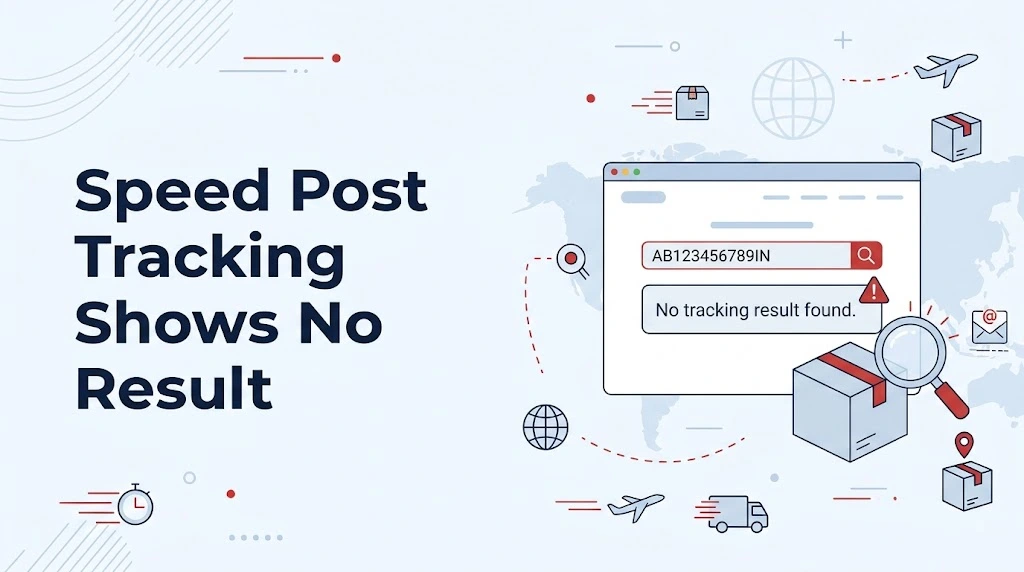
You enter your Speed Post number, complete the verification, press Search, and instead of seeing the shipment details, nothing useful appears. Sometimes the page may simply fail to return the consignment information.
This can be confusing, especially when you are expecting an important document or parcel. The good thing is that a blank or unsuccessful tracking result does not automatically mean that your Speed Post shipment is lost.
India Post provides an official Track and Trace service where customers can enter a consignment number and check the available article information. The official tracking page also uses a security verification step before the search is processed.
In this guide, we will look at why speed post tracking no result situations can happen, what you should check first, and when it makes sense to contact India Post.
What Does “No Result” Mean in Speed Post Tracking?
When the tracking page does not show shipment information, it simply means that the tracking system has not returned the expected consignment details at that moment.
There are a few things worth checking before assuming that something is wrong with the shipment itself. India Post’s own tracking system asks for the consignment number and displays a security code field before the search can be completed. Its official tracking page can also display an error such as being unable to obtain consignment details and asking the user to try again later.
So, the first step is not to panic. Check the number and tracking page carefully, then try again.
1. Check the Speed Post Consignment Number
Start with the number you are entering.
India Post’s official material identifies the Speed Post article number as a 13-digit number used for online tracking.
A simple typing mistake can therefore be enough to stop you from getting the expected result. This is particularly easy when the number has been copied from a receipt, message, email, or handwritten document.
Look at the original booking receipt and enter the article number again rather than relying on a number you typed earlier.
Also make sure you are entering the consignment/article number, not another reference number associated with a transaction.
2. Enter the Number on the Official India Post Tracker
For tracking, use the India Post Track and Trace service rather than depending on an unrelated tracking page.
The current India Post website provides a dedicated Track and Trace section with a field for the consignment number.
This matters because the tracking information ultimately comes from India Post’s own postal system. A third-party website can make the information easier to read, but it cannot create an official tracking event that is not available from India Post.
For the most reliable check, go back to the official India Post tracking page and submit the number there.
3. Complete the Security Verification Correctly
There is another small step people sometimes overlook: the security verification.
The official tracking page asks users to enter characters shown in a security image before the consignment search is processed.
If the security code is entered incorrectly, the tracking request may not complete normally.
So, when the page gives you a verification field, enter the displayed characters carefully and submit the search again. If the verification image itself is not loading correctly, refreshing the page can be a useful first step.
4. The Tracking System May Temporarily Be Unable to Fetch Details
This is one of the most important points.
A no-result message is not always caused by your consignment number. India Post’s own tracking pages have displayed messages such as “Unable to get Consignment Details, Please try after sometime”.
That wording is useful because it shows that the tracking service itself can sometimes be unable to return the information during a particular attempt.
In that situation, repeatedly changing the tracking number will not solve the problem. Give the system some time and try the official tracker again.
5. Try Again Rather Than Assuming the Parcel Is Lost
Imagine that you received the parcel number today and immediately tried to check it, but the result was not available.
The sensible approach is to check the original number, submit it again through the India Post tracker, and retry later if the service asks you to try again.
The tracking facility is designed to provide online information about Speed Post articles, and India Post describes Speed Post articles as trackable using their article number.
A temporary inability to retrieve the result should therefore be treated as a tracking-information issue first, rather than proof that the physical article has disappeared.
6. Check Whether You Are Using the Right Information
Another easy mistake is mixing up different numbers shown on a receipt.
The current India Post Track and Trace interface specifically provides a Consignment Number input.
When checking Speed Post, use the article/consignment number associated with the postal item.
For example, if your receipt contains several numbers, do not simply choose the longest number or the first number you see. Match the number with the field requested by the official tracking page.
That one small check can save a lot of unnecessary troubleshooting.
7. Try the Tracker Again From a Fresh Page
Sometimes the problem you are seeing is with the tracking session rather than the shipment.
A practical troubleshooting sequence is simple:
Open the official India Post tracking page again, enter the consignment number carefully, complete the verification, and submit a fresh search. India Post’s own tracking interface is built around this process.
You can also try the page again after some time when the system reports that consignment details could not be obtained.
The important part is to distinguish between “the tracker is not returning information right now” and “there is a confirmed problem with my shipment.” They are not necessarily the same thing.
8. What Should You Do If Tracking Still Shows No Result?
Suppose you have checked the article number several times and the official tracker still does not return the details.
At that point, it is reasonable to contact India Post rather than continuing to guess.
India Post currently lists its customer care toll-free number as 1800 266 6868. The website states that call-centre agents are available from 8:00 AM to 8:00 PM, while an IVRS facility is available 24/7, including Sundays, except gazetted holidays.
India Post also directs customers to its complaint and grievance channels for service-related issues. Its contact page specifically includes options for Speed Post information, complaints and tracking problems.
When contacting them, keep your Speed Post receipt and consignment number nearby. That makes it easier to explain exactly which article you are trying to trace.
When Should You Be More Concerned?
A single failed tracking search is not enough to conclude that your article has been lost.
The better approach is to look at the situation as a whole. First verify the consignment number. Then use India Post’s official Track and Trace service. If the site reports that it cannot obtain the consignment details, try again later.
If the problem continues and you need assistance, India Post provides official customer-care and grievance channels.
This gives you a clear path instead of repeatedly entering the same number and wondering what went wrong.
A Simple Way to Troubleshoot Speed Post Tracking No Result
Here is the sequence I would follow when the tracking result is missing:
First: take the number directly from your Speed Post receipt.
Next: confirm that you are using the article/consignment number required by the India Post tracker.
Then: enter the number on the official India Post Track and Trace page and complete the security verification.
After that: if India Post says it cannot get the consignment details, try again later instead of assuming the shipment is lost.
Finally: when the issue continues, contact India Post customer care or use its official complaint channel.
This process keeps the troubleshooting simple and, most importantly, starts with the official source of the tracking information.
Final Takeaway
Seeing no tracking result can be frustrating, but it does not by itself tell you what has happened to your Speed Post article.
The safest way to approach the problem is to verify the 13-digit Speed Post article number, use India Post’s official Track and Trace service, complete the security verification, and retry when the system says that consignment details cannot currently be obtained. India Post itself provides customer-care and grievance options for cases where tracking problems continue.
For anyone searching speed post tracking no result, the main lesson is simple: check the number first, check through the official tracker, retry when the system is temporarily unable to fetch details, and contact India Post when the problem remains unresolved.
Official sources
- India Post — Track and Trace / Tracking:
- India Post — Contact Us and Speed Post tracking complaints:
- India Post — Official information on tracking Speed Post articles using the 13-digit article number: