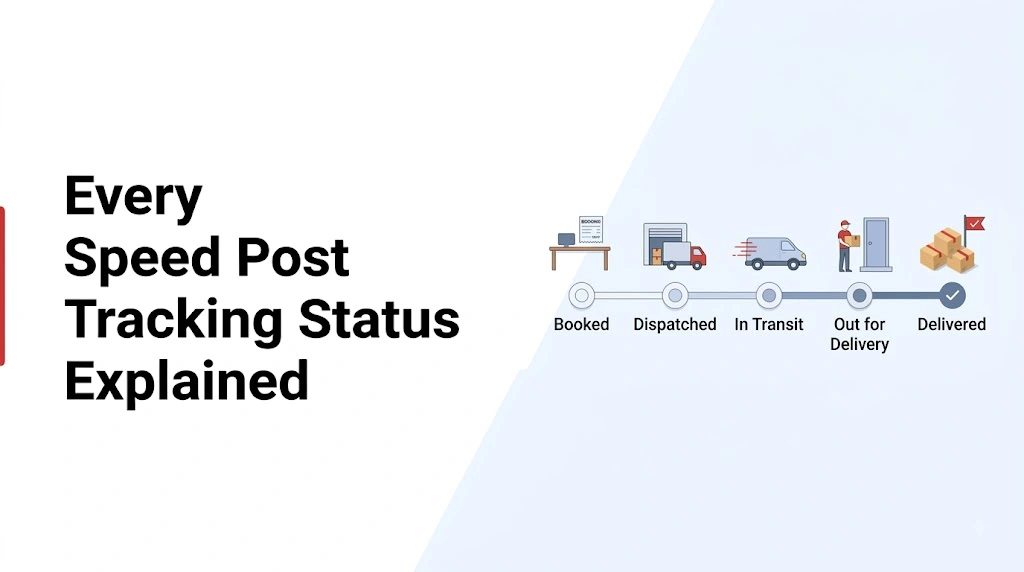
When you send a parcel through India Post, the tracking page can sometimes look a little confusing. You may see a status such as Item Booked, Item Dispatched, Item Received, Item Bagged, Out for Delivery, or Item Delivered and wonder what is actually happening with your parcel.
The good news is that most of these updates simply show the different points your Speed Post item passes through on its journey. India Post provides an online Track & Trace service for checking consignments from booking through delivery.
This guide explains the common Speed Post tracking updates in simple language, so you can look at your tracking result and understand what to do next instead of guessing.
What Does Speed Post Tracking Status Mean?
The speed post tracking status meaning is basically the current stage of your consignment in the India Post delivery network. A status can tell you whether the item has just been booked, moved from one office to another, reached the destination area, gone out for delivery, or has already been delivered.
One thing is worth remembering: the exact wording of an update can vary depending on the scanning point and the tracking system. So, don’t worry if two tracking records use slightly different words for a similar stage.
1. Item Booked
This is normally one of the first updates you will see.
Item Booked means India Post has accepted the article and created a tracking record for it. At this stage, the parcel has entered the postal system, but it has not completed its journey yet.
For a newly posted Speed Post item, seeing this status is completely normal. Give the tracking system some time to receive the next scan.
2. Booking Confirmed or Shipment Accepted
Sometimes a tracking record may show wording that indicates the article has been accepted at the booking office.
In simple terms, this means the post office has received the item and recorded it in its system. The next updates generally appear as the article moves toward its destination.
There is no need to raise a complaint just because the status remains at the booking stage for a short period.
3. Item Dispatched
This update usually means the article has left the current processing or booking office for the next destination.
Think of Item Dispatched as: “Your parcel has started moving from this location.”
It does not mean the parcel is going to be delivered immediately. It may still need to pass through one or more processing centres before reaching the delivery office.
4. Item Bagged
Item Bagged is one of the statuses that often confuses people.
Here, “bag” refers to the postal bag or mail container in which articles are grouped for transportation. So this status does not mean your parcel has been packed again.
It generally indicates that the article has been placed into a dispatch bag associated with a particular destination or route.
For the person waiting for the parcel, the important part is simple: the shipment is being processed for movement.
5. Item Received
When you see Item Received, the article has reached the postal office or processing location mentioned in the tracking event.
For example, a parcel can be dispatched from one office and later show as received at another office.
This is actually a useful status because it tells you that another physical movement has been recorded in the network.
6. Item Forwarded
An Item Forwarded update generally indicates that the article is being sent onward from its current location.
Don’t assume that a new city in the tracking history means your parcel has taken a wrong route. Speed Post articles may pass through sorting and transit offices before reaching the final delivery office.
The better way to read the tracking history is to look at the sequence of events rather than judging one location by itself.
7. Item Dispatched to Destination
This type of update means the article has been sent toward the next destination point.
At this stage, the shipment is still in transit. It may move through another sorting centre or delivery network location before the final delivery attempt.
If your destination city appears in a later scan, that is generally a sign that the article has progressed further through the network.
8. Arrived at Delivery Office
This is an important update for the receiver.
When the article reaches the relevant delivery office, it means the parcel has arrived in the local postal network that handles delivery to the recipient’s address.
However, arrived at delivery office does not always mean the postman is already carrying the parcel. There may still be local processing before the delivery attempt.
India Post’s Speed Post information also states that customers can receive an SMS when the consignment is received at the delivery post office.
9. Out for Delivery
This is the status most people are waiting to see.
Out for Delivery generally means the article has moved into the delivery stage and a delivery attempt is being made.
At this point, it is a good idea for the recipient to stay available at the delivery address. Keep in mind that an out-for-delivery update does not guarantee that the parcel will be handed over immediately. Delivery can depend on the local route, workload, address details, and other practical factors.
10. Item Delivered
The meaning here is straightforward: the postal system has recorded the article as delivered.
Once this status appears, check the delivery details in the tracking record. If the recipient has not actually received the item despite a delivered update, it is better to contact India Post through its official support or complaint channels rather than assuming the tracking page is simply wrong.
India Post’s official tracking and complaint pages include Speed Post-related delivery cases in their records.
11. Delivery Attempted
A delivery attempt status means an attempt was made to deliver the article, but the delivery could not be completed at that time.
There can be several practical reasons for an unsuccessful attempt. For example, the recipient may not have been available, or there may have been an issue at the delivery address.
The next tracking update is more important than worrying about the failed attempt itself. Check whether the article moves toward another delivery attempt or another processing stage.
12. Addressee Not Available
This status indicates that the delivery could not be completed because the intended recipient was not available at the time of the attempt.
If you see this update, don’t panic. Check the latest tracking events and remain available at the delivery address for the next attempt.
13. Address Related or Delivery Exception
Sometimes a tracking history can indicate an address-related problem or another reason why delivery could not proceed normally.
This is one situation where the exact event details matter. Instead of relying on a generic explanation found online, check the actual tracking history because the location and event information can provide more context.
If the issue continues, contacting the official postal service is the sensible next step.
14. Returned to Sender
A return status means the article is moving back toward the sender instead of continuing to the recipient.
This can happen after delivery attempts or when an item cannot be delivered according to the applicable postal process.
If you are the recipient and expected the parcel, contact the sender as soon as possible. The sender may be able to confirm the address used on the booking and decide what should happen next.
What Should You Do When Speed Post Tracking Has No New Update?
This is probably the most common question people have.
A tracking page does not necessarily change after every individual movement. Updates depend on scans and system entries at different stages. So, seeing the same status for some time does not automatically mean the parcel is lost.
First, check that you entered the correct consignment number. India Post’s official Track & Trace page specifically provides a field for entering the consignment number.
Then look at the date and location of the latest scan. A recent scan generally gives you more useful information than repeatedly refreshing the page within a few minutes.
How to Read the Tracking History Properly
The easiest way is to read it like a timeline.
Suppose your history looks roughly like this:
Item Booked → Item Dispatched → Item Received → Item Dispatched → Arrived at Delivery Office → Out for Delivery → Item Delivered
Now the journey becomes much easier to understand.
The first event shows acceptance. The middle events show movement between postal locations. The delivery-office update shows that the parcel has reached the local stage, and Out for Delivery indicates that delivery activity has started.
Instead of focusing on one unfamiliar phrase, look at where the parcel was, where it is now, and what the latest event says.
Where Can You Check Speed Post Tracking?
India Post provides an official Track & Trace facility on its website where users can enter their consignment number and search for the latest available tracking information.
You can also use the tracking tool on track-speedpost.in to make the tracking process easier to follow. For the most authoritative information about an actual shipment, however, the official India Post tracking record should be treated as the primary reference.
India Post also lists delivery-related SMS notifications as part of its Speed Post features.
When Should You Be Concerned?
A single unchanged status is not enough to conclude that something has gone wrong.
Pay closer attention when there is an unusually long gap, repeated delivery problems, an address issue, or a status that clearly indicates the article is being returned.
If you need assistance, use India Post’s official support and complaint facilities rather than relying on random numbers or unofficial websites. The official tracking pages also provide access to postal service resources and complaint options.
Final Takeaway
Speed Post tracking becomes much less confusing once you understand what each update is trying to tell you.
Booked means the article has entered the postal system. Dispatched and Forwarded indicate movement. Received means it has reached another postal location. Arrived at Delivery Office means it has entered the local delivery stage, while Out for Delivery shows that a delivery attempt is in progress. Delivered means delivery has been recorded.
The exact sequence will not be identical for every shipment, and that is normal. What matters most is the latest tracking event, its date, and the location attached to it.
So, the next time you check your speed post tracking status, don’t just look for the word “Delivered.” Read the full tracking history. It can tell you where your article has been, where it is now, and what stage comes next.